

In brief Help AI agents understand your business by publishing specific service details, keeping listings current, naming the people responsible, and making the next step clear. Test a real customer question with and without your website link to see what the agent can discover and explain.
Imagine you run a bakery in San Francisco. On Monday, the landlord sends over a lease for the storefront next door. You have until Friday to decide. While the first trays are in the oven, you ask your AI agent for help.
“Find two San Francisco lawyers who review commercial leases for tenants. Ask if they can review mine by Friday and how much it would cost. Check with me before booking a call or sharing the lease.”
You’ve named the work, the city, and the deadline without mentioning a single firm. If you’re a lawyer who handles leases like this, what could an agent find on your website that would give the owner a reason to call?
The first impression happens before the click
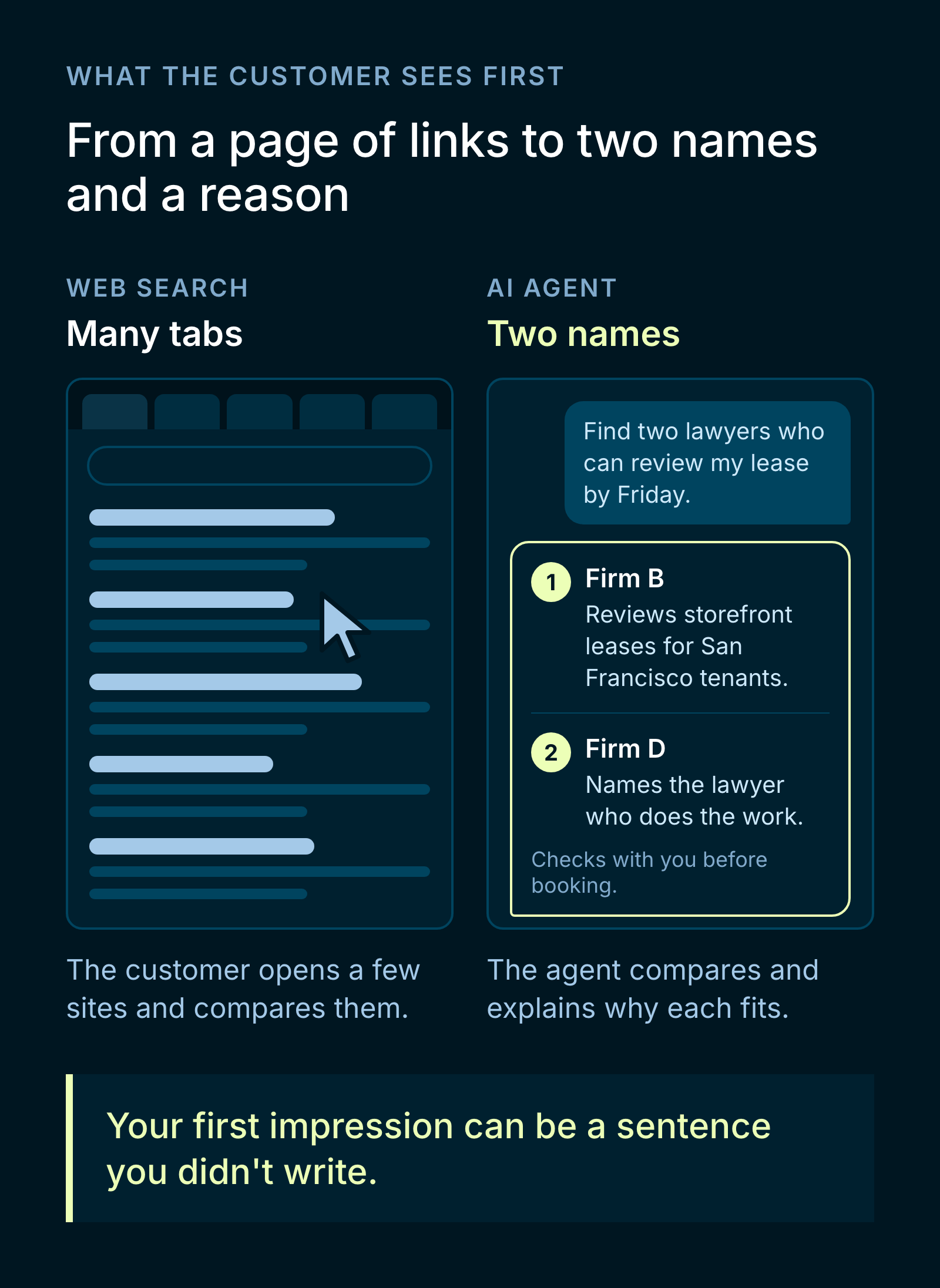
In a familiar web search, the customer opens a few tabs and compares the options. When they hand that work to an agent, they might see two lawyers’ names and a sentence explaining why each one fits. Their first impression of your business can be a sentence you didn’t write, based on details you published months ago.
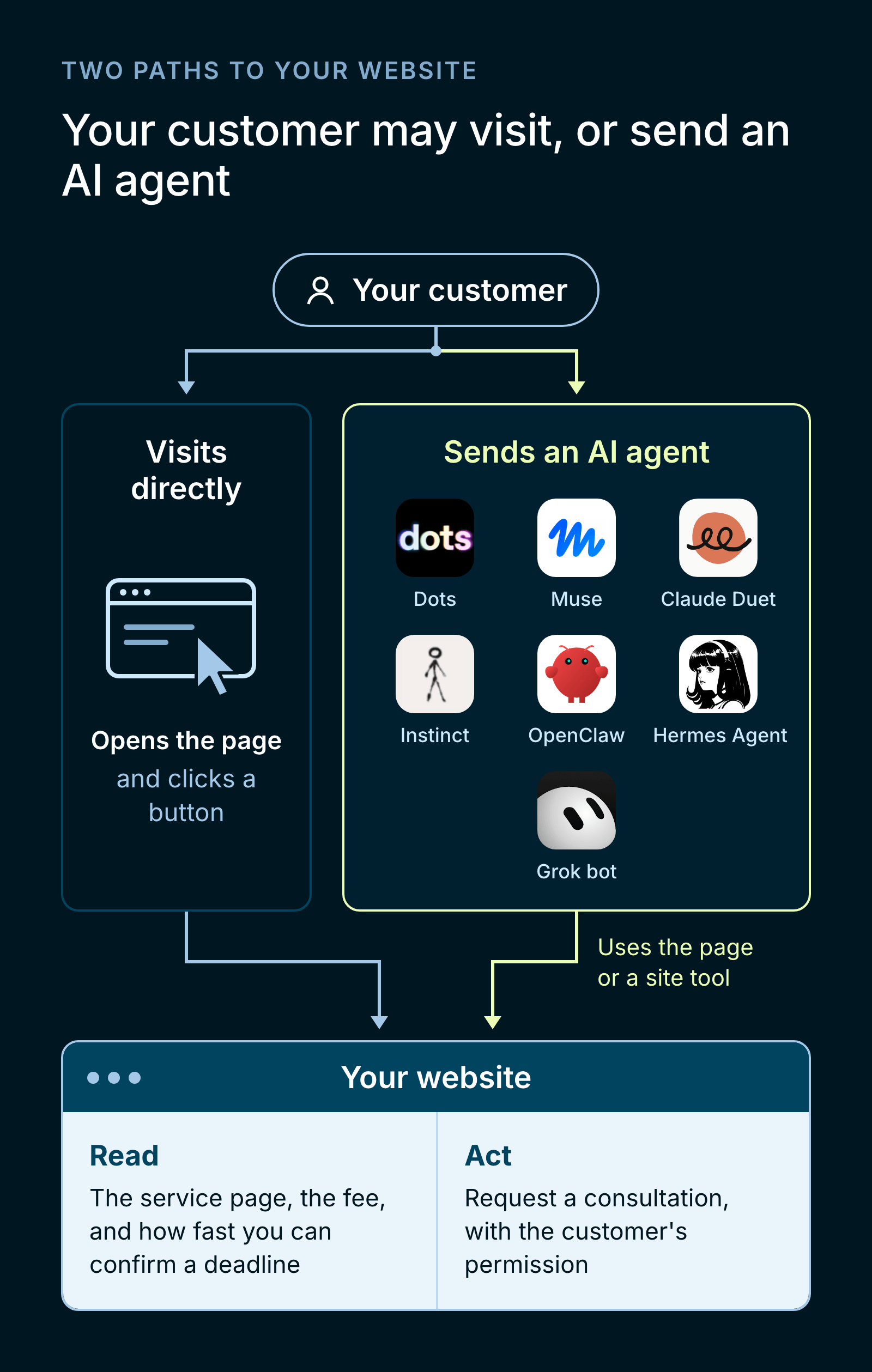
OpenAI’s Dots can browse websites. Meta’s Muse can use a participating business’s website or connect directly to tools the business provides. For the bakery owner, that could mean reading the lawyer’s service page and, with the owner’s permission, requesting a consultation through the same site. OpenAI: Introducing Dots · Muse: More ways for Muse to work with businesses
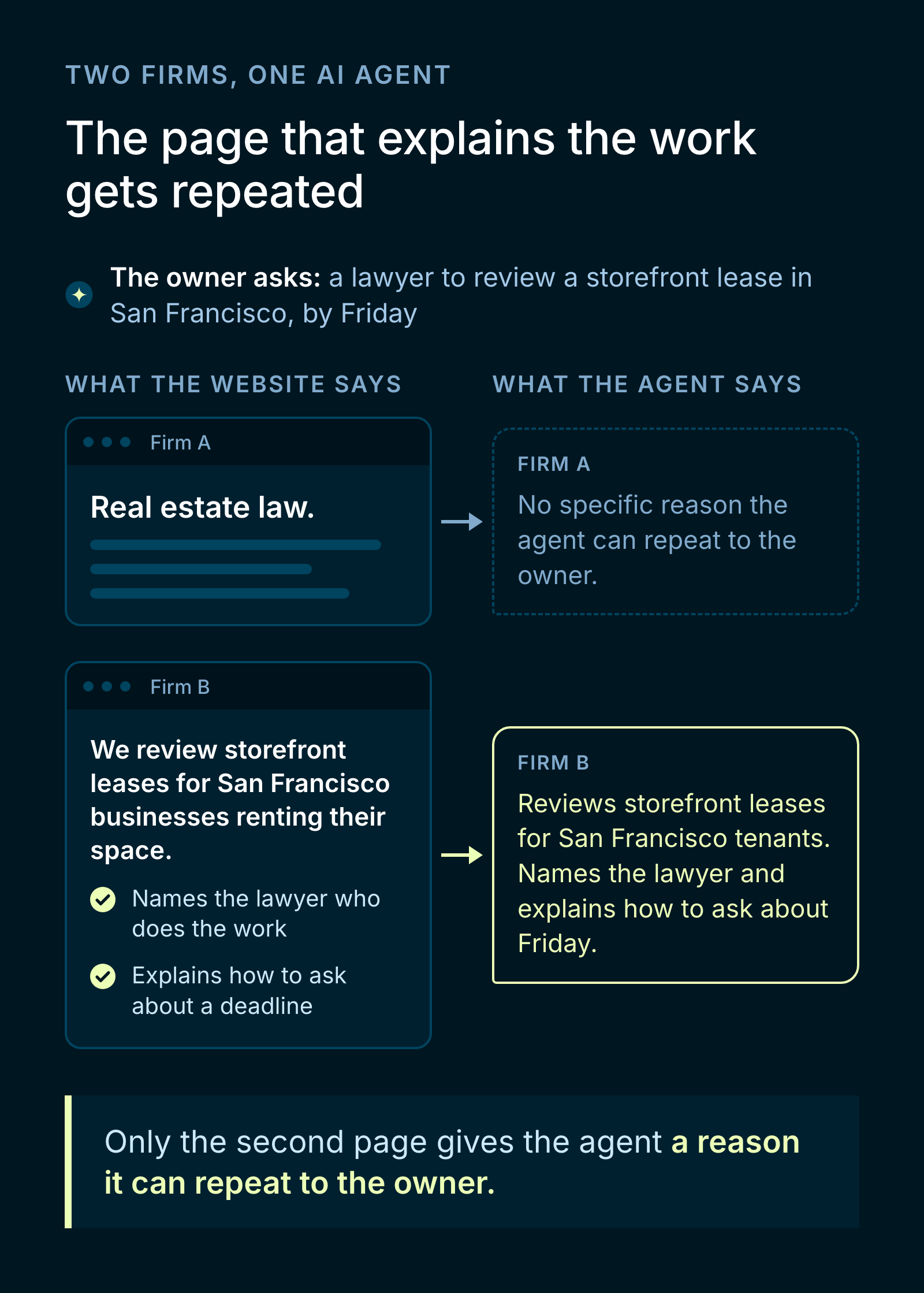
Consider two firms that both handle the bakery’s kind of lease. One website says “Real estate law.” The other says “We review storefront leases for San Francisco businesses renting their space,” names the lawyer who does the work, and explains how to ask about a deadline. The second page gives the agent a reason it can repeat to the owner.
If the owner calls the number in the answer, the firm has earned an inquiry without a visit to its homepage from that person. Ask new clients how they found you and track consultations alongside website clicks.
How to help an agent find and recommend your services
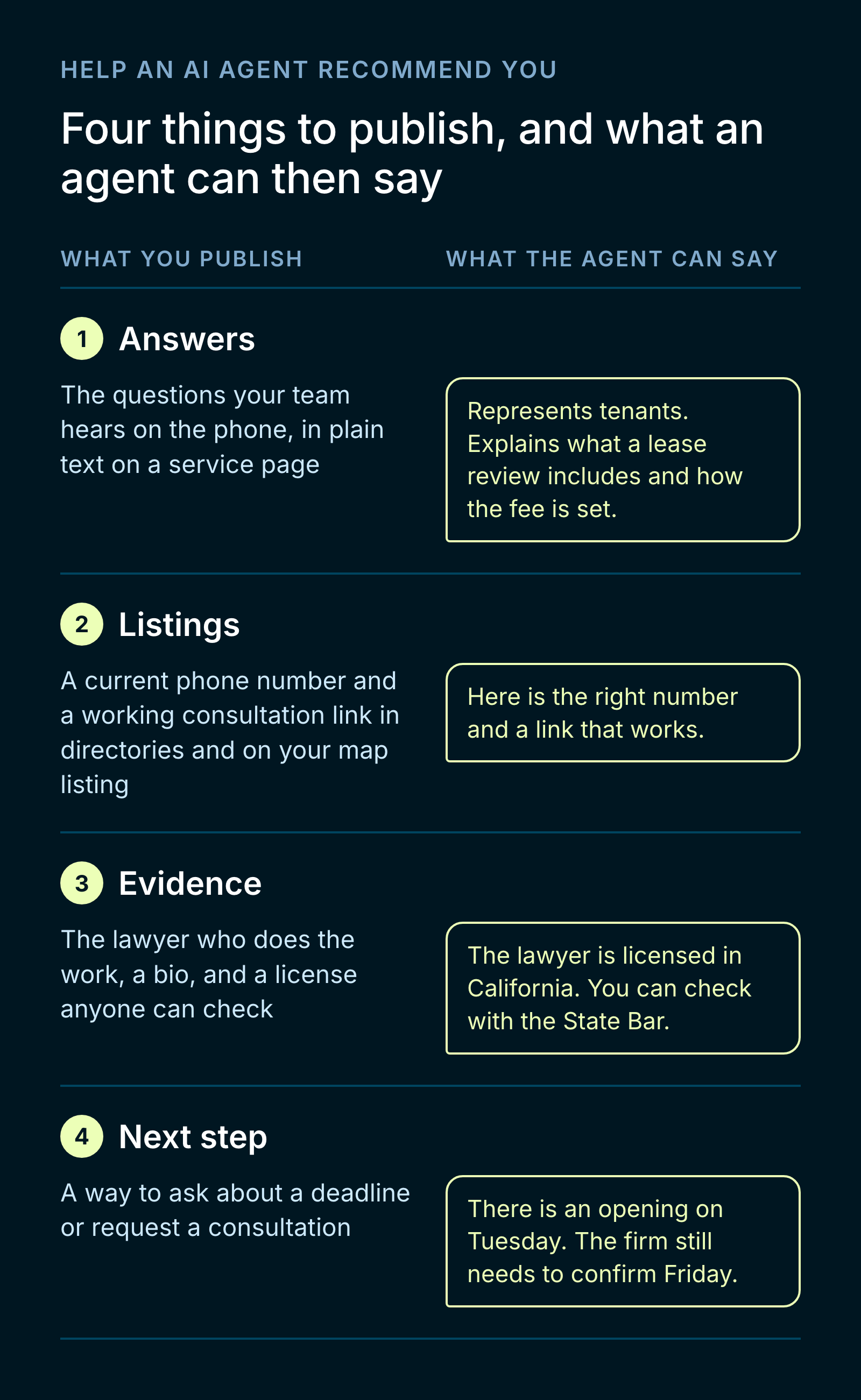
Publish the answers your team gives on the phone. Ask the person who handles new inquiries what a prospective client usually asks first. For a law firm, that might be whether you represent tenants, what a lease review includes, how you set the fee, and how quickly you can confirm a deadline. Put those answers in plain text on a service page linked from your homepage.
Check the places a customer might find you first. Look up your business as a stranger would. Does a directory list an old phone number? Does the consultation link on your map listing still work? Google recommends keeping your Business Profile complete and current. Eligible businesses can also claim their listing in ChatGPT’s Business Hub and update their details after verification. Google Business Profile Help: Improve your local ranking · OpenAI Help: Setting up your business on ChatGPT
Give people evidence they can check. Name the lawyer who handles lease reviews and link to their bio. In California, a client can check that lawyer’s license status through the State Bar’s Attorney Search. The firm can also explain what clients receive, such as written comments on the lease and a call to discuss them. State Bar of California: Find legal professionals
Make the next step clear. Give people a way to ask about a deadline or request a consultation. A calendar showing an opening on Tuesday tells the owner when they can speak to a lawyer. They still need the firm to confirm whether it can finish the review by Friday.
What customers should ask for
Suppose one lawyer offers a free introductory call and another quotes a flat fee for a written lease review. A side-by-side list of prices leaves out the important part. What does each fee cover? Will you get written comments, a call to discuss the terms, or help talking to the landlord?
Ask your agent to show where each answer came from and flag what the firm still needs to confirm. If timing is the deciding factor, “The lawyer confirmed Friday” is the detail you need. Once you’ve compared the options, you can choose whom to meet and when to share the lease.
Try the search before your customer does
At BraidNest, we’d start with one question a real customer asked this week. Give it to an agent without mentioning your company or sharing your link. Which businesses does it find? What evidence does it give for including them?
Then give it your website and ask the same question. If it understands your offer only after you share the link, check how people can discover that page. If it describes a free consultation as a free lease review, follow its source and look for the wording that led it there.
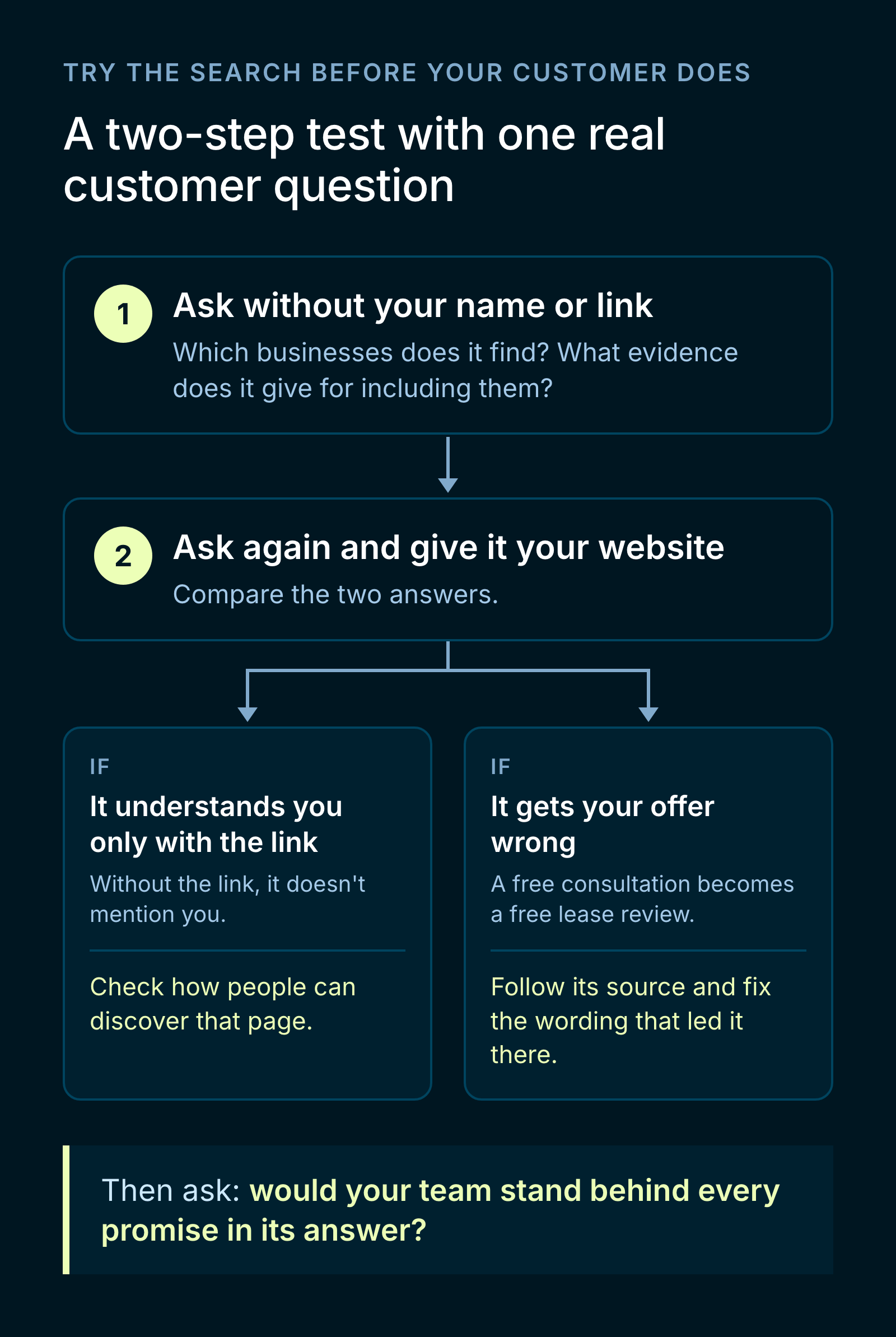
Picture the bakery owner calling on Monday morning and reading the agent’s answer back to the person at your front desk. Would your team stand behind every promise in that answer?